
s&box
Server Hosting in Australia
Starting from $4/mo. Configure your plan below.
Choose Your Plan
s&box Game Type

s&box
Run your own s&box server in Sydney, with low ping across Australia and New Zealand. Pick a game from sbox.game, from Facepunch's Sandbox to community games, set the map and a join password, and change them whenever you like.
Choose Your Plan
All prices are in Australian dollars (AUD).Select a plan to view price
Server Specs
- Performance-tuned processors
- Unlimited NVMe SSD storage
- Enterprise DDoS Protection
Network
- Premium Sydney bandwidth
- Low-latency routing
Game Server FeaturesWhat's included with my server?

Blazing Fast Servers

Full File Manager

Instant Setup

Automated Backups

Fast Support

DDoS Protection

Scale Up or Down

72 Hour Refunds
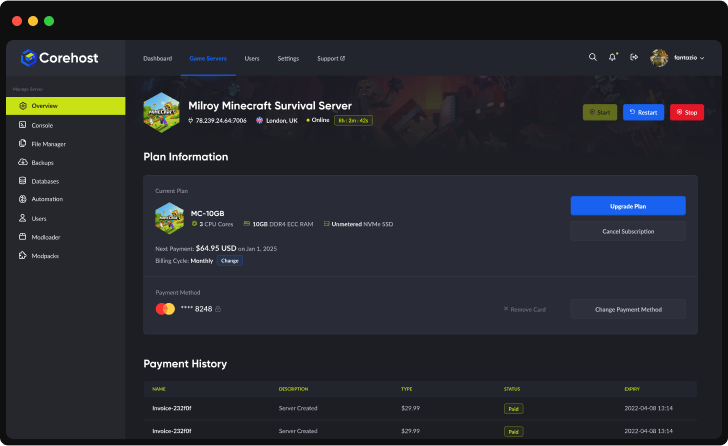
Our Control PanelMeet CorePanel
Discover powerful features to manage your game server!
Dashboard
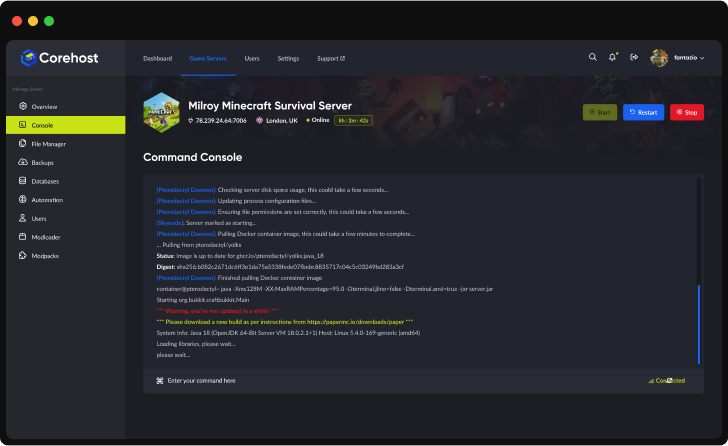
Console
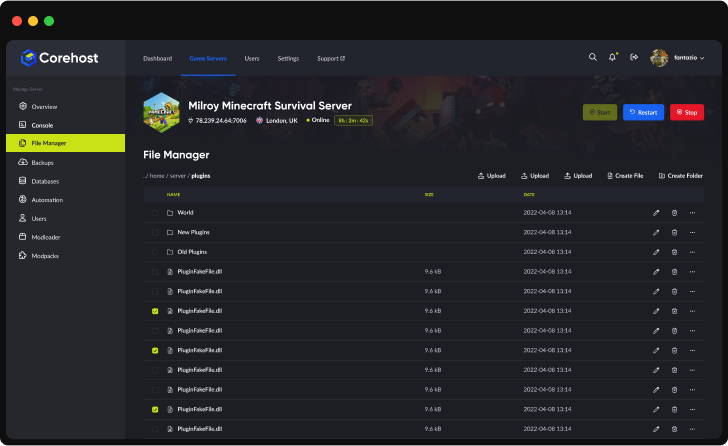
File Manager
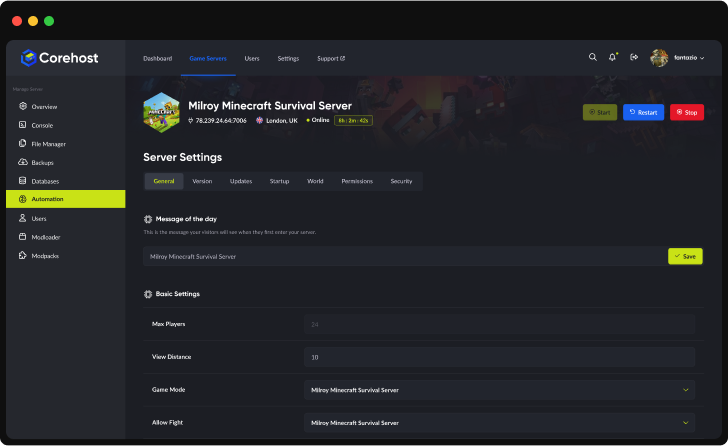
Settings
Plan Info
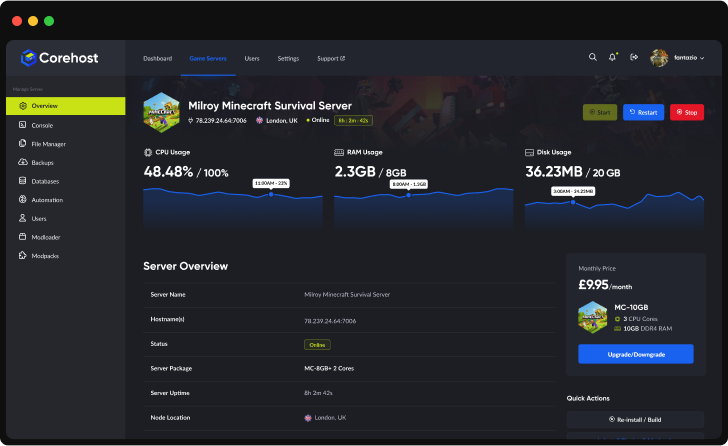
Powerful Dashboard
Monitor your server's vital statistics in real-time with our comprehensive dashboard. Track CPU, RAM, and disk usage through elegant visualisations, manage your server with one-click controls, and view all critical server information in a single, streamlined interface.
Server InfrastructureEnterprise-Grade Hardware

Premium CPUs
Performance-tuned
ECC Memory
High-performance
NVMe SSD
Ultra-fast storage
Premium Network
Low-latency routing
Questionss&box server FAQ
How do my friends join my s&box server?
Players open the console in s&box and type connect followed by the IP address and port from your Overview page, for example connect 203.0.113.10:25600. If you set a join password, they add it after the address as one more word. CoreHost opens the game port and the Steam query port for you, so there is nothing to forward.
Which games can my server run?
One game from sbox.game at a time, set with Game on the Settings page. Use the game's ident: the organisation and the game name with a dot between them, in lower case, which is the end of the game's sbox.game address (sbox.game/facepunch/sandbox is facepunch.sandbox, the default). Games that take a map use Map the same way (facepunch.flatgrass by default). Your server downloads the game and map each time it starts. If the ident isn't found, it starts Sandbox on Flatgrass and the Console says why. Not every s&box game supports dedicated servers: if a game loads but never opens for players, the Console says so after about a minute, so try another game.
How many players can join?
The game you run sets the player limit, not your plan or a setting: Sandbox allows 32 players, and other games set their own limit. Type status in the Console to see the players online and the limit. The plans differ by memory, not by player slots.
Why does the first start take a few minutes?
When you order, your server downloads the s&box server from Steam (about 4.6 GB), which takes a few minutes. Its first start then downloads the game you picked from sbox.game (about 2.2 GB for Sandbox), so allow a minute or two more before it shows Running. Later starts are quicker. Every start checks Steam for an s&box update first, because players' games update themselves and can't join a server on another version. You can follow it all in the Console.
Do I need a Steam login token (GSLT)?
It's optional. Without one, your server gets a new Steam ID each time it starts, which doesn't stop players joining by address. To keep the same Steam ID, sign in at steamcommunity.com/dev/managegameservers, make a token with App ID 590830 and paste it into Steam login token on the Settings page, then restart. If Steam doesn't accept the token, your server starts again without it and the Console says why. CoreHost never needs your Steam login.
Can I install mods or addons?
There is nothing to install: s&box servers don't take mods the way other games do. The game and map are your Settings, and the props, models and tools players use inside a game come from the cloud while they play, so the AI Mod Assistant doesn't add anything for s&box. If a game won't load, open a ticket and we will take a look.
Are builds and progress kept when the server restarts?
That is up to the game. Whatever a game saves on the server goes in the data folder (data/<organisation>/<game>). In our tests an empty Sandbox server saved nothing there, so don't count on a Sandbox build being there after a restart. Stop and Restart send the server's quit command, so it closes cleanly in a few seconds. Kill ends it at once, so use Stop or Restart when you can. Backups hold the data and config folders; the s&box server and the games download again by themselves.
How do I make someone an admin?
config/users.json lists Steam IDs and the permissions each one has. Edit it with the File Manager. What each permission does is up to the game you run. The Console also runs the server's own commands, such as status, kick followed by a name or Steam ID, and find followed by a word to list matching commands.
Which plan do I need, and how much does it cost?
$4 a month for 4GB or $8 for 8GB, in Australian dollars and billed monthly. In our tests Sandbox on Flatgrass needed a little over 1GB of memory with nobody online, and smaller games less. Players and what they build use more, so choose the 8GB plan for big games and big builds. You can change plan from your control panel.
More answers in our FAQ, and every plan for every game on the pricing page.
Deploy your game server today
Your server is set up automatically as soon as you order, with no waiting on a person.