
Palworld
Server Hosting in Australia
Starting from $8/mo. Configure your plan below.
Choose Your Plan
Palworld Game Type

Palworld
Catch Pals and build bases with up to 16 players on a Palworld 1.0 server hosted in Sydney for low ping across AU and NZ. Crossplay with Xbox, PS5 and Mac, world settings in CorePanel, and your world saved on every stop.
Choose Your Plan
All prices are in Australian dollars (AUD).Select a plan to view price
Server Specs
- Performance-tuned processors
- Unlimited NVMe SSD storage
- Enterprise DDoS Protection
Network
- Premium Sydney bandwidth
- Low-latency routing
Game Server FeaturesWhat's included with my server?

Blazing Fast Servers

Full File Manager

Instant Setup

Automated Backups

Fast Support

DDoS Protection

Scale Up or Down

72 Hour Refunds
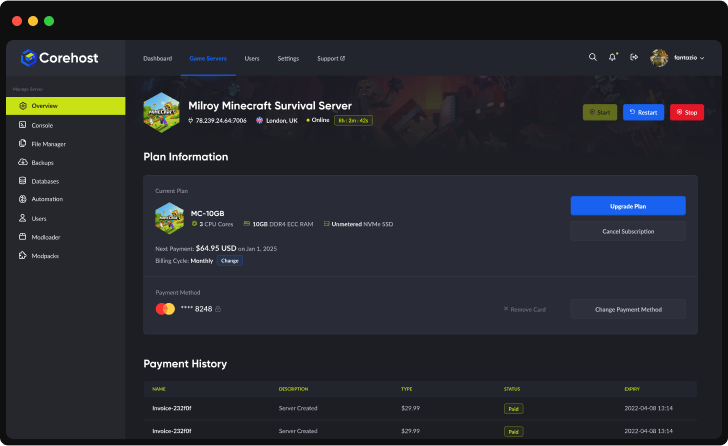
Our Control PanelMeet CorePanel
Discover powerful features to manage your game server!
Dashboard
Console
File Manager
Settings
Plan Info
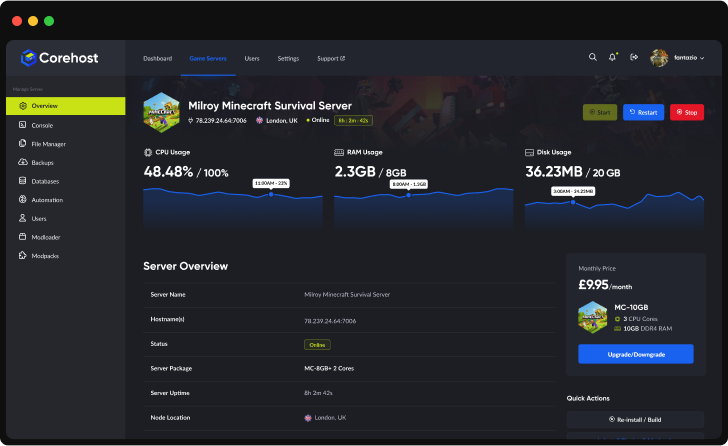
Powerful Dashboard
Monitor your server's vital statistics in real-time with our comprehensive dashboard. Track CPU, RAM, and disk usage through elegant visualisations, manage your server with one-click controls, and view all critical server information in a single, streamlined interface.
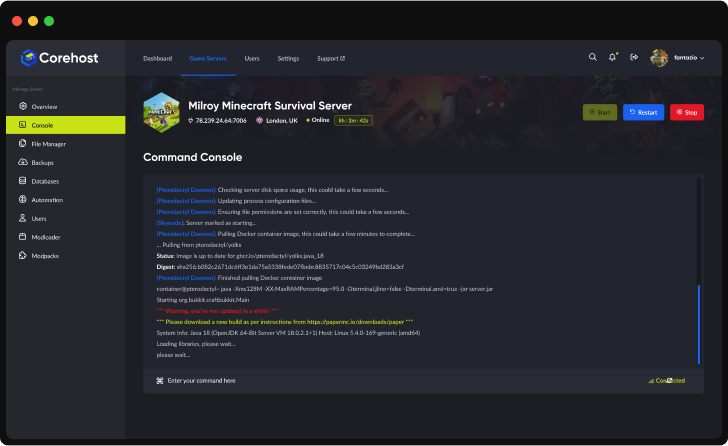
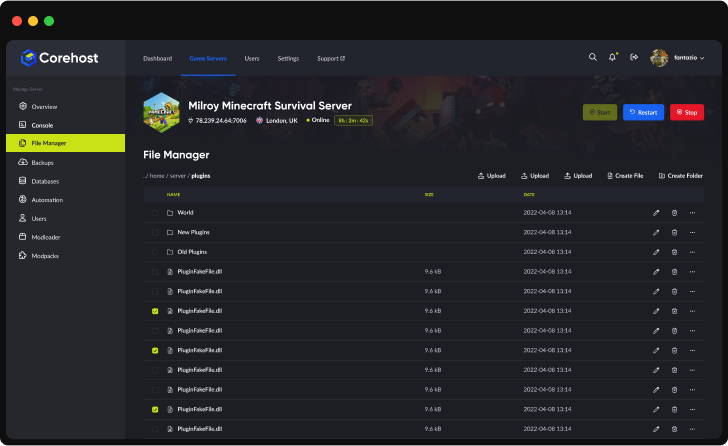
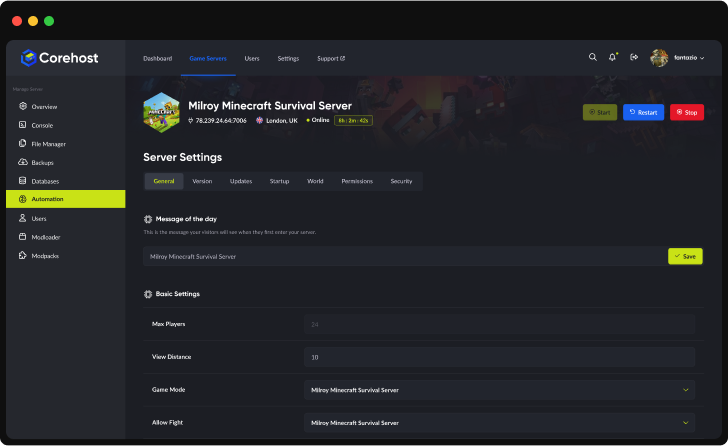
Server InfrastructureEnterprise-Grade Hardware

Premium CPUs
Performance-tuned
ECC Memory
High-performance
NVMe SSD
Ultra-fast storage
Premium Network
Low-latency routing
QuestionsPalworld server FAQ
How do my friends join my Palworld server?
On Steam, Mac or Microsoft Store PC, open Join Multiplayer Game and enter the IP address and port from your Overview page, or search for your server's name in the community server list. PS5 and Xbox players can only join through the community server list, so keep Community server list on in Settings and make sure Who can join includes their platform. If you set a join password, players type it when they join.
Can PS5 and Xbox players join?
Yes, Palworld 1.0 servers are crossplay with Steam, Xbox, PS5 and Mac by default. Console players find the server by searching its name in the in-game community server list. Console patches can arrive a few days after the Steam version: if console players can't join after a game update, turn Update on start off in Settings until their update arrives.
What can I change in Settings?
Server name and description, join and admin passwords, who can join, the community server list, and the world settings: damage players and Pals take, death penalty, PvP, friendly fire, hardcore, losing Pals on death, experience, capture, spawn, gathering and drop rates, Pal work speed, fast travel, voice chat, day and night speed, egg hatching time, Pals per base and players per guild. CoreHost writes them into PalWorldSettings.ini each time the server starts, so changes apply after a restart. Player slots are set by your plan.
How do I become an admin on my server?
Type /AdminPassword followed by the admin password from your Settings page in the in-game chat. Keep the admin password to yourself. CoreHost also uses it to save your world before every stop and restart.
Does my world save when I stop or restart the server?
Yes. Palworld autosaves while it runs, and Stop and Restart ask the game to save your world before it shuts down: the Console shows world saved, then the game has stopped. Kill ends the server at once without saving, so use Stop or Restart when you can. You can also type save in the Console at any time.
Why does my server restart every day?
Palworld's memory use grows the longer the server runs, so CoreHost saves the world and restarts the server once a day, at 5am Sydney time by default, after warnings in game 5 minutes and 1 minute before. Memory guard also saves and restarts it early if it uses 90 percent of your plan's memory. You can change the restart hour, or turn it or Memory guard off, in Settings.
Can I use mods?
Not on the server. Palworld's server mods (UE4SS, Lua and PalSchema mods from the Steam Workshop) only run on Windows servers, and CoreHost runs the official Linux server, so the AI Mod Assistant can't install them. PS5 and Xbox players can't use mods either. Most of what server mods change, like rates, difficulty and death penalty, is on your Settings page. Mods that only change your own game still work on your PC.
Which plan do I need?
The 8GB plan has 6 player slots, the 12GB plan 12 and the 16GB plan 16. In our tests a fresh world used about 0.9GB with nobody online; memory grows with players, with how much of the map they explore and with how long the server runs, and more Pals per base or a higher Pal spawn rate use more. If the server restarts early to free memory more than about once a day, move up a plan. You can change plan from your control panel.
How much does a Palworld server cost?
$8 a month for 8GB (up to 6 players), $12 for 12GB (up to 12 players) or $16 for 16GB (up to 16 players). Prices are in Australian dollars and billed monthly.
More answers in our FAQ, and every plan for every game on the pricing page.
Deploy your game server today
Your server is set up automatically as soon as you order, with no waiting on a person.