
Enshrouded
Server Hosting in Australia
Starting from $6/mo. Configure your plan below.
Choose Your Plan
Enshrouded Game Type

Enshrouded
Explore the Shroud, build your base and fight bosses with up to 16 players on PC. Your Enshrouded server stays online when you log off, with Admin, Friend and Guest roles, hosted in Sydney for low ping across AU and NZ.
Choose Your Plan
All prices are in Australian dollars (AUD).Select a plan to view price
Server Specs
- Performance-tuned processors
- Unlimited NVMe SSD storage
- Enterprise DDoS Protection
Network
- Premium Sydney bandwidth
- Low-latency routing
Game Server FeaturesWhat's included with my server?

Blazing Fast Servers

Full File Manager

Instant Setup

Automated Backups

Fast Support

DDoS Protection

Scale Up or Down

72 Hour Refunds
Our Control PanelMeet CorePanel
Discover powerful features to manage your game server!
Dashboard
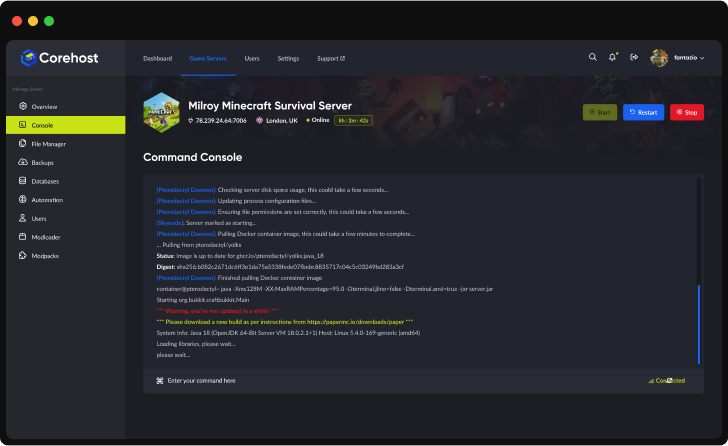
Console
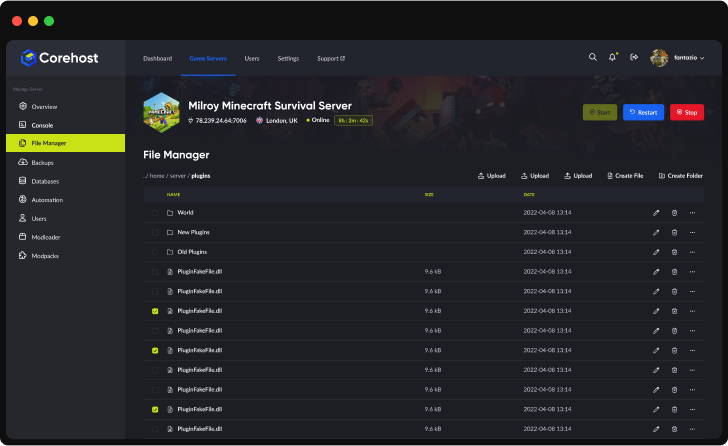
File Manager
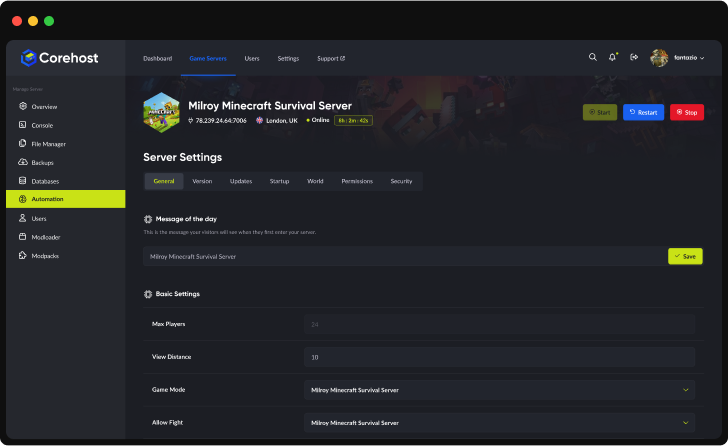
Settings
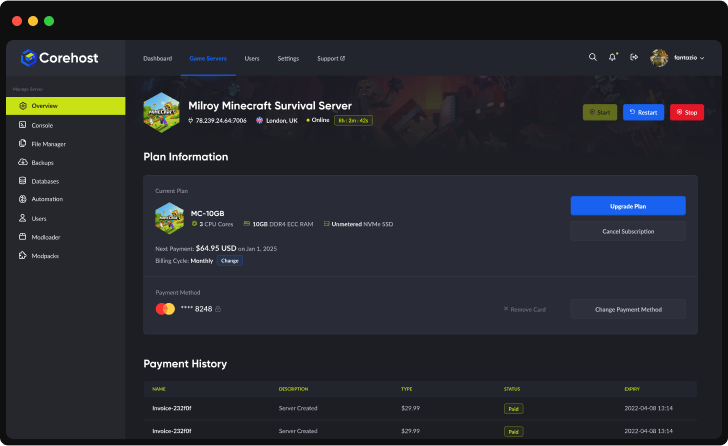
Plan Info
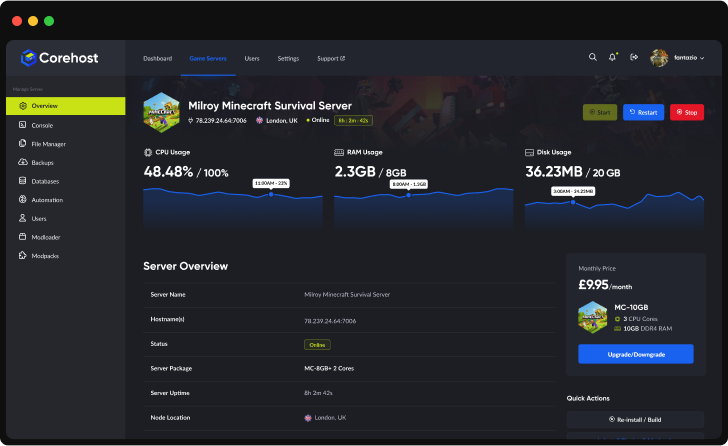
Powerful Dashboard
Monitor your server's vital statistics in real-time with our comprehensive dashboard. Track CPU, RAM, and disk usage through elegant visualisations, manage your server with one-click controls, and view all critical server information in a single, streamlined interface.
Server InfrastructureEnterprise-Grade Hardware

Premium CPUs
Performance-tuned
ECC Memory
High-performance
NVMe SSD
Ultra-fast storage
Premium Network
Low-latency routing
QuestionsEnshrouded server FAQ
How do my friends join?
In Enshrouded, open Join, turn on Show dedicated servers in the server filter and look for your server by its Server name, then enter a password. The password decides the player's role: the Join password gives the Friend role and the Admin password the Admin role. If your server doesn't appear in the list, add it to your Steam favourites (in Steam: View, Game Servers, Favourites, then the plus button) with the IP address and port from your server's Overview page, and it shows at the top of the list. Your server uses one port, opened for you, so there's no port forwarding to set up.
What are the Admin, Friend and Guest roles?
Enshrouded gives each player a role by the password they type. Admin can do everything, including adding Flame Altars and kicking or banning players. Friend can fight, explore, use chests and build in bases. Guest, if you set a Guest password, can fight and explore but can't use chests or change bases. All three passwords are on the Settings page and must be different. Enshrouded servers always need a password, so there is no open server without one.
Can PlayStation players join?
No. Our servers run the PC (Steam) version of the Enshrouded dedicated server, and Enshrouded has no crossplay between PC and PS5 at the moment.
Which plan do I need?
The 6GB plan has 8 player slots and the 8GB plan 16, the most Enshrouded allows. In our tests a new world with nobody online used about 0.7GB of memory. Keen Games says each player adds up to about 100MB and a full 16 player server stays under 6GB, and memory grows as your world is explored and built on, so both plans leave room to grow. You can change plan from your control panel.
Does my world save when I stop or restart the server?
Yes. Stop and Restart ask Enshrouded to save the world and shut down: in our tests the save was written within 3 seconds and the server was offline within 10 seconds. While it runs, Enshrouded also saves the world about every 30 seconds and keeps ten rolling copies in savegame/backup. Kill ends the server at once without the shutdown save, so use Stop or Restart when you can.
How do I change the difficulty?
Pick a Difficulty preset in Settings: Default, Relaxed (fewer enemies, more resources and loot), Hard (more and tougher enemies) or Survival (Hard plus hunger and harsher rules). For your own mix, choose Custom, stop the server and edit the gameSettings part of enshrouded_server.json in the File Manager, for example player health, enemy damage, loot amounts or day and night length. Keen Games' Server Gameplay Settings article lists every value. Changes apply after a restart.
Are characters saved on the server?
No. In Enshrouded your character, with its gear and skills, is saved on your own PC, and only the world is saved on the server. That means you can take your character to other servers, and a new world keeps your characters.
Can I add mods?
Enshrouded doesn't have official mod support, and the AI Mod Assistant can't install mods for it. Community mods are shared on Nexus Mods and most of them change your own game rather than the server. The Difficulty preset and the Custom game settings cover most of what server owners ask for.
What can I change in Settings?
Server name, the Join, Admin and Guest passwords, the Difficulty preset, text chat, voice chat and its mode (Proximity or Global), and Update on start. CoreHost writes them into enshrouded_server.json each time the server starts, so changes apply after a restart. Player slots are set by your plan. Other parts of that file, such as your own gameSettings, roles you add by hand and bans, stay as you set them.
What's in my backups?
Your world (the savegame folder), enshrouded_server.json and the logs. Enshrouded's own game files (about 8GB) and the Wine set-up are left out to keep backups small. The server downloads and rebuilds them by itself when they are missing, for example after a restore, so that start takes a few minutes longer.
How much does an Enshrouded server cost?
$6 a month for 6GB (up to 8 players) or $8 for 8GB (up to 16 players). Prices are in Australian dollars and billed monthly.
More answers in our FAQ, and every plan for every game on the pricing page.
Deploy your game server today
Your server is set up automatically as soon as you order, with no waiting on a person.