
Minecraft
Server Hosting in Australia
Starting from $4/mo. Configure your plan below.
Choose Your Plan
Minecraft Game Type

Minecraft
The timeless block-building adventure on a Paper server, with plugin support. RAM-scaled plans hosted in Sydney for low-ping Aussie and Kiwi survival.
Choose Your Plan
All prices are in Australian dollars (AUD).Select a plan to view price
Server Specs
- Performance-tuned processors
- Unlimited NVMe SSD storage
- Enterprise DDoS Protection
Network
- Premium Sydney bandwidth
- Low-latency routing
Game Server FeaturesWhat's included with my server?

Blazing Fast Servers

AI-Powered Plugins

Instant Setup

Automated Backups

Fast Support

DDoS Protection

Scale Up or Down

72 Hour Refunds
Our Control PanelMeet CorePanel
Discover powerful features to manage your game server!
Dashboard
Console
File Manager
Settings
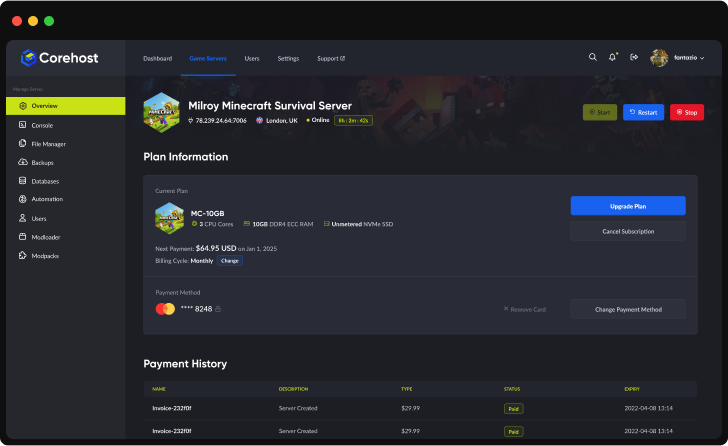
Plan Info
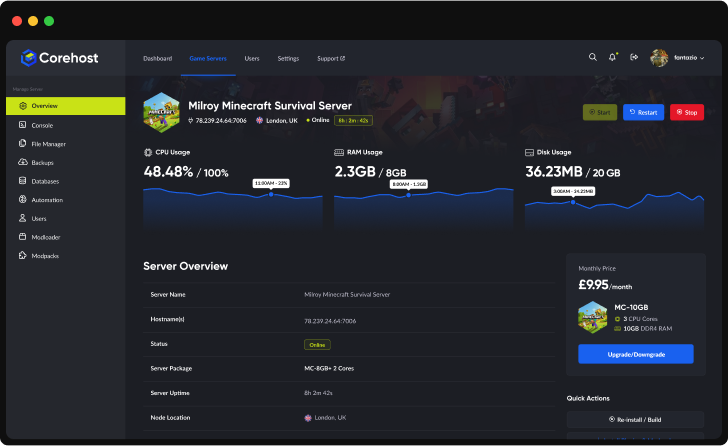
Powerful Dashboard
Monitor your server's vital statistics in real-time with our comprehensive dashboard. Track CPU, RAM, and disk usage through elegant visualisations, manage your server with one-click controls, and view all critical server information in a single, streamlined interface.
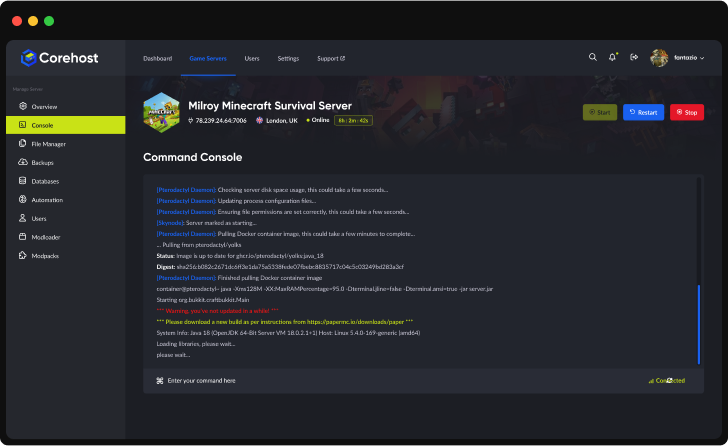
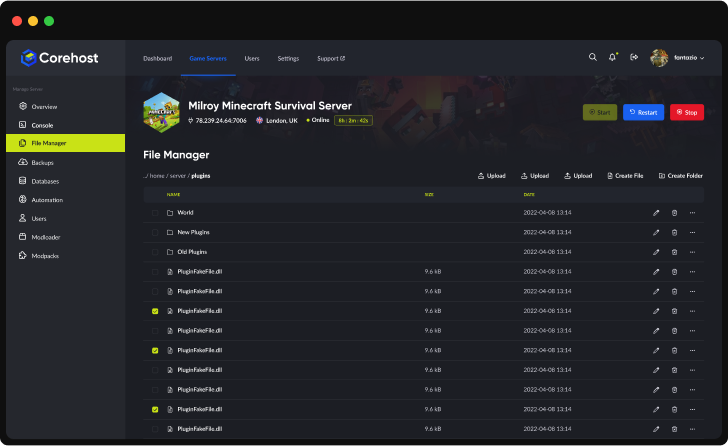
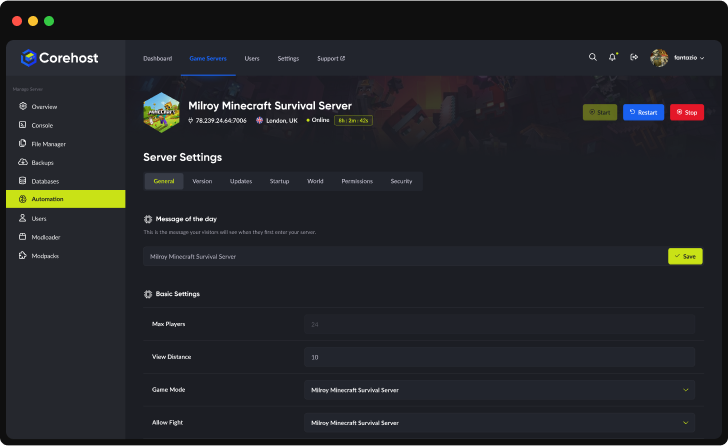
Server InfrastructureEnterprise-Grade Hardware

Premium CPUs
Performance-tuned
ECC Memory
High-performance
NVMe SSD
Ultra-fast storage
Premium Network
Low-latency routing'%3e%3cpath%20d='M-0.5%2074.875H254.5'%20stroke='%231961EF'%20stroke-width='21.25'%20stroke-miterlimit='10'/%3e%3cpath%20d='M-0.5%20128H254.5'%20stroke='%231961EF'%20stroke-width='21.25'%20stroke-miterlimit='10'/%3e%3cpath%20d='M-0.5%20181.125H254.5'%20stroke='%231961EF'%20stroke-width='21.25'%20stroke-miterlimit='10'/%3e%3cpath%20d='M73.875%20255.5V0.5'%20stroke='%231961EF'%20stroke-width='21.25'%20stroke-miterlimit='10'/%3e%3cpath%20d='M127%20255.5V0.5'%20stroke='%231961EF'%20stroke-width='21.25'%20stroke-miterlimit='10'/%3e%3cpath%20d='M180.125%20255.5V0.5'%20stroke='%231961EF'%20stroke-width='21.25'%20stroke-miterlimit='10'/%3e%3cpath%20d='M190.75%20234.25H63.25C46.7813%20217.781%2037.2187%20208.219%2020.75%20191.75V64.25C37.2187%2047.7813%2046.7813%2038.2187%2063.25%2021.75H190.75C207.219%2038.2187%20216.781%2047.7813%20233.25%2064.25V191.75C216.781%20208.219%20207.219%20217.781%20190.75%20234.25Z'%20fill='%232E303A'/%3e%3cpath%20d='M80.7812%20197.062L57.9375%20174.219V81.7812L80.7812%2058.9375H173.219L196.062%2081.7812V174.219L173.219%20197.062H80.7812Z'%20fill='%23C9E216'/%3e%3cpath%20d='M92.2%20180L75%20162.8V93.2L92.2%2076H161.8L179%2093.2V162.8L161.8%20180H92.2Z'%20fill='%23B5CB19'/%3e%3c/g%3e%3cdefs%3e%3cclipPath%20id='clip0_224_2316'%3e%3crect%20width='255'%20height='256'%20fill='white'/%3e%3c/clipPath%3e%3c/defs%3e%3c/svg%3e)
QuestionsMinecraft server FAQ
Why can't I connect to my server?
Make sure your server has been started and is online in the server control panel. Make sure you are including the port at the end of your IP. Check the error message when connecting in your game client as well as any errors that are displayed in the server console.
Can I use plugins or mods on my server?
Yes, plugins. Minecraft servers run Paper, so they take Paper, Spigot and Bukkit plugins. Open Mods for your server in CorePanel and ask the AI Mod Assistant for a plugin by name. It finds the plugin on Modrinth, picks the build made for your server's Minecraft version and adds any plugins it needs. It backs up your server, restarts it and checks the server log that every plugin was enabled. If one wasn't, it puts your server back from that backup. You can also upload a plugin .jar to the plugins folder with the File Manager, then restart the server. Forge and Fabric mods don't run on Paper, and client-side mods such as shaders go in each player's own game.
Can I use my own map on the server?
Of course! You can upload a custom world via our File Manager. If you get stuck, open a support ticket and we can help.
More answers in our FAQ, and every plan for every game on the pricing page.
Deploy your game server today
Your server is set up automatically as soon as you order, with no waiting on a person.