
Unturned
Server Hosting in Australia
Starting from $2/mo. Configure your plan below.
Choose Your Plan
Unturned Game Type

Unturned
Scavenge, build and survive with up to 48 players on your own Unturned server. It stays online when you log off, and it's hosted in Sydney for low ping across AU and NZ. The 2 GB plan suits the PEI, Yukon and Washington maps. Russia and Germany use more memory, so choose 4 GB or more for them.
Choose Your Plan
All prices are in Australian dollars (AUD).Select a plan to view price
Server Specs
- Performance-tuned processors
- Unlimited NVMe SSD storage
- Enterprise DDoS Protection
Network
- Premium Sydney bandwidth
- Low-latency routing
Game Server FeaturesWhat's included with my server?

Blazing Fast Servers

AI-Powered Modpacks

Instant Setup

Automated Backups

Fast Support

DDoS Protection

Scale Up or Down

72 Hour Refunds
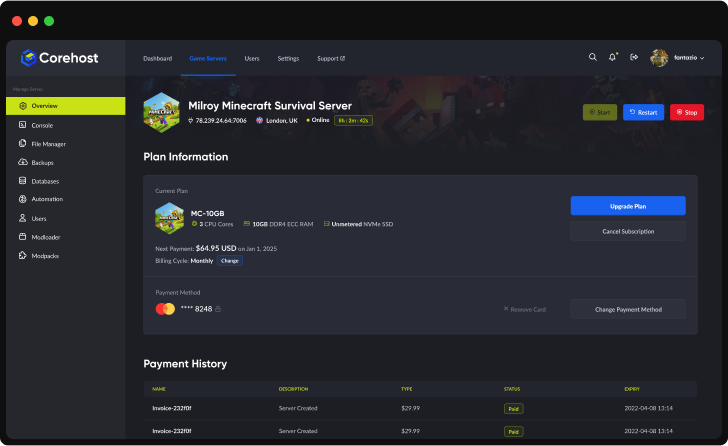
Our Control PanelMeet CorePanel
Discover powerful features to manage your game server!
Dashboard
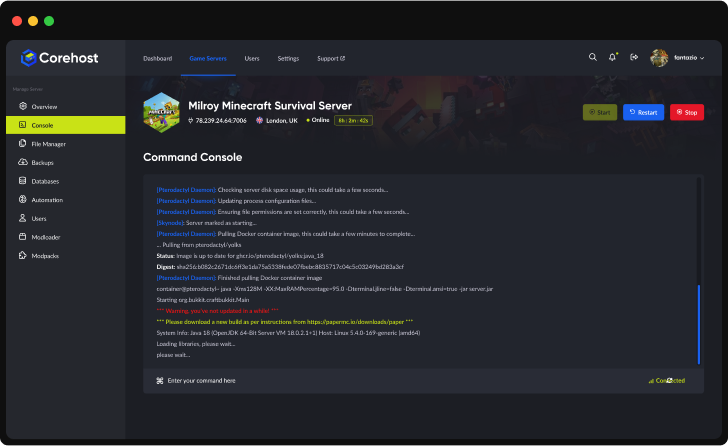
Console
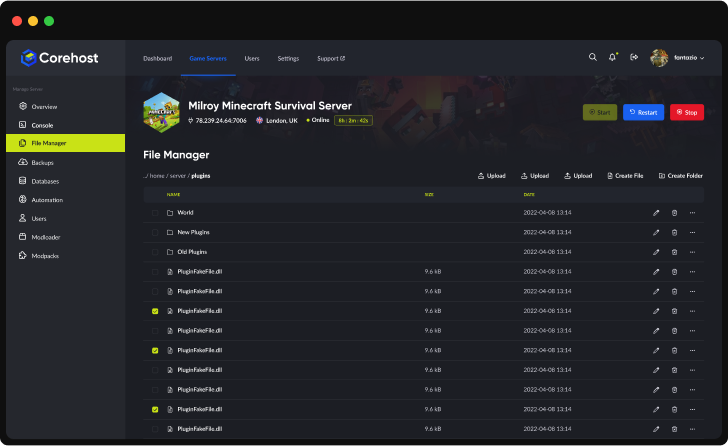
File Manager
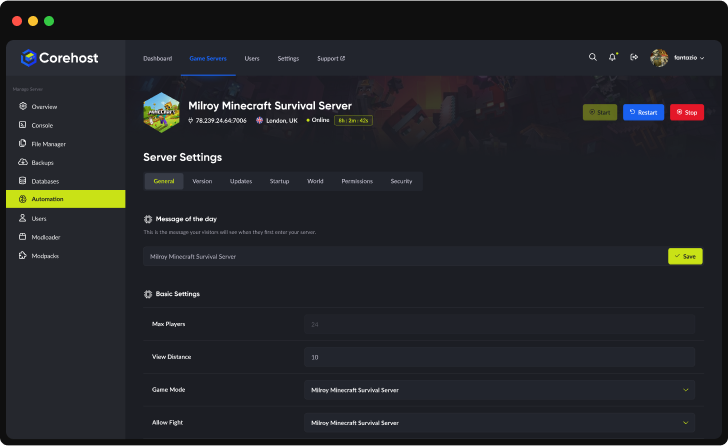
Settings
Plan Info
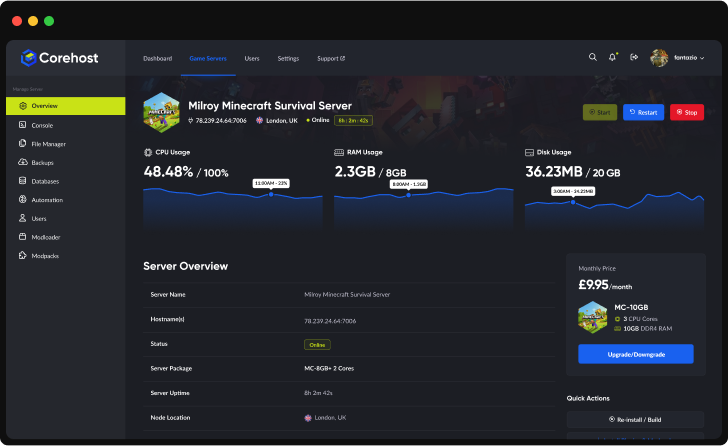
Powerful Dashboard
Monitor your server's vital statistics in real-time with our comprehensive dashboard. Track CPU, RAM, and disk usage through elegant visualisations, manage your server with one-click controls, and view all critical server information in a single, streamlined interface.
Server InfrastructureEnterprise-Grade Hardware

Premium CPUs
Performance-tuned
ECC Memory
High-performance
NVMe SSD
Ultra-fast storage
Premium Network
Low-latency routing'%3e%3cpath%20d='M-0.5%2074.875H254.5'%20stroke='%231961EF'%20stroke-width='21.25'%20stroke-miterlimit='10'/%3e%3cpath%20d='M-0.5%20128H254.5'%20stroke='%231961EF'%20stroke-width='21.25'%20stroke-miterlimit='10'/%3e%3cpath%20d='M-0.5%20181.125H254.5'%20stroke='%231961EF'%20stroke-width='21.25'%20stroke-miterlimit='10'/%3e%3cpath%20d='M73.875%20255.5V0.5'%20stroke='%231961EF'%20stroke-width='21.25'%20stroke-miterlimit='10'/%3e%3cpath%20d='M127%20255.5V0.5'%20stroke='%231961EF'%20stroke-width='21.25'%20stroke-miterlimit='10'/%3e%3cpath%20d='M180.125%20255.5V0.5'%20stroke='%231961EF'%20stroke-width='21.25'%20stroke-miterlimit='10'/%3e%3cpath%20d='M190.75%20234.25H63.25C46.7813%20217.781%2037.2187%20208.219%2020.75%20191.75V64.25C37.2187%2047.7813%2046.7813%2038.2187%2063.25%2021.75H190.75C207.219%2038.2187%20216.781%2047.7813%20233.25%2064.25V191.75C216.781%20208.219%20207.219%20217.781%20190.75%20234.25Z'%20fill='%232E303A'/%3e%3cpath%20d='M80.7812%20197.062L57.9375%20174.219V81.7812L80.7812%2058.9375H173.219L196.062%2081.7812V174.219L173.219%20197.062H80.7812Z'%20fill='%23C9E216'/%3e%3cpath%20d='M92.2%20180L75%20162.8V93.2L92.2%2076H161.8L179%2093.2V162.8L161.8%20180H92.2Z'%20fill='%23B5CB19'/%3e%3c/g%3e%3cdefs%3e%3cclipPath%20id='clip0_224_2316'%3e%3crect%20width='255'%20height='256'%20fill='white'/%3e%3c/clipPath%3e%3c/defs%3e%3c/svg%3e)
QuestionsUnturned server FAQ
Why does my Unturned server need a Steam login token?
Unturned only lists a server on its internet server list, and only lets players join it over the internet, when the server has a Steam Game Server Login Token (GSLT) from its owner. Without one your server is LAN only, and the Console says so. To make a token, sign in at steamcommunity.com/dev/managegameservers, enter App ID 304930 and any memo, then copy the token into Steam login token in your server's Settings and restart. The token belongs to your Steam account, and CoreHost never needs your Steam login.
What if I can't create a token, or Steam doesn't accept it?
Steam only gives tokens to accounts that are not limited (a limited account has not spent US$5 in the Steam store), have a phone number, have Unturned in their library (it is free) and are not community banned or locked, so check you can create one before you order. If Steam doesn't accept the token in Settings, your server starts again without it, runs LAN only and says why in the Console. Create a new token, put it in Settings and restart.
What can I change in Settings?
Server name, Steam login token, join password, owner Steam ID, map, difficulty (Easy, Normal or Hard), PvP or PvE, camera perspective, cheats and the welcome message. The owner Steam ID makes that player the server owner, with admin rights in game. CoreHost writes these into Servers/corehost/Server/Commands.dat each time the server starts, so changes apply after a restart, and editing the same lines in the file is undone at the next start. Other commands you add to that file yourself are kept. Player slots are set by your plan.
Which maps can I play?
PEI, Washington, Russia, Yukon and Germany are built in: pick one in Settings and restart. Other official maps such as Arid, Elver, Buak, Kuwait, A6 Polaris and Hawaii are curated Steam Workshop maps, so the server has to download the map first. If the map you set isn't installed, the server loads PEI and the Console says so. Each map keeps its own world, so switching maps doesn't delete the one you left.
Does my world save when I stop or restart the server?
Yes. Unturned has no autosave of its own, so CoreHost saves your world every 10 minutes while the server runs. Stop and Restart send Unturned's shutdown command, which saves the world before the server closes, and the server shows offline about 20 to 25 seconds later. Kill ends the server at once without saving, so anything since the last save is lost: use Stop or Restart when you can. Once the map has loaded, you can also type save in the Console.
Can I add Workshop maps, mods or plugins?
Yes, Steam Workshop maps and items. Paste the item's Workshop link into the AI Mod Assistant (Mods, in CorePanel). It backs up your server, adds the item, restarts the server and checks the server log that the item installed and the world loaded. If it did not, it puts your previous list back by itself. To play a Workshop map, ask the assistant to play it: it also sets the map in Settings, and the world on your old map is kept. Workshop maps are large downloads (Arid is about 430 MB) and most use more memory than PEI, Yukon or Washington, so choose the 4GB plan or larger for maps like Arid. Plugins such as RocketMod and OpenMod run their own code on your server, so the assistant doesn't install them. You can add them yourself with the File Manager, but CoreHost hasn't tested them.
Which plan do I need?
The 2GB plan has 12 player slots, the 4GB plan 24 and the 6GB plan 48. The map matters too: with nobody online, PEI, Yukon and Washington use about 0.7 to 0.8GB, Russia about 1.2GB, Germany about 1.3GB and the Arid Workshop map about 1.7GB. The 2GB plan suits PEI, Yukon or Washington. For Russia, Germany or Workshop maps, choose the 4GB plan or larger. You can change plan from your control panel.
How much does an Unturned server cost?
$2 a month for 2GB (up to 12 players), $4 for 4GB (up to 24 players) or $6 for 6GB (up to 48 players). Prices are in Australian dollars and billed monthly.
More answers in our FAQ, and every plan for every game on the pricing page.
Deploy your game server today
Your server is set up automatically as soon as you order, with no waiting on a person.